


AI Car Designer Modify Style
2.313.00 Reviews
App Specs
- Version
- 3.0
- Updated On
- License
- Free
- Downloads
- 10,000+
- Developer
- Visvamurti Soft
- Categories
- Auto & Vehicles
- Platform
- Android
Screenshots
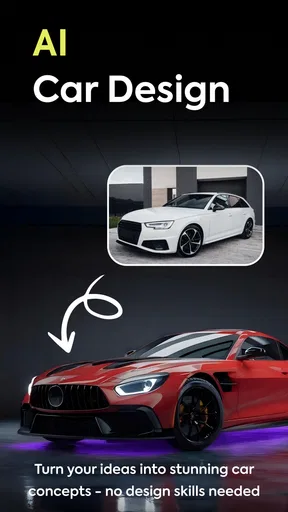
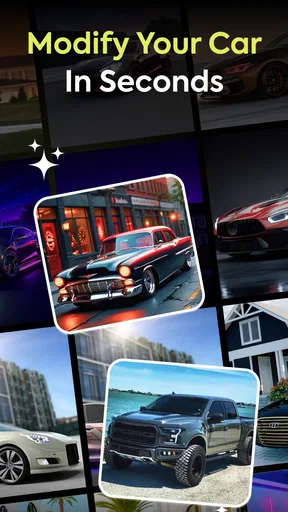
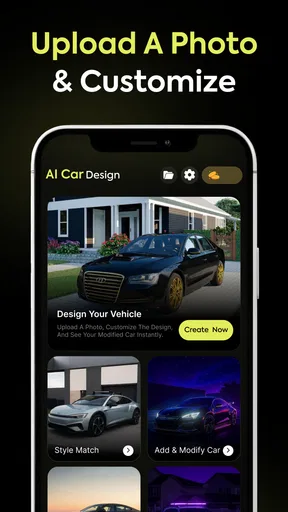
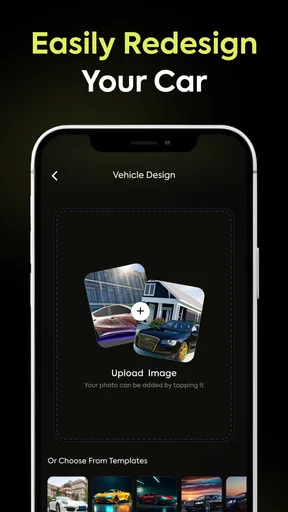
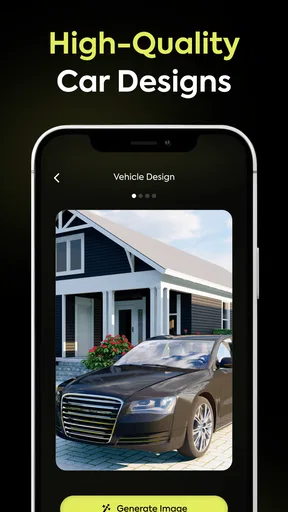
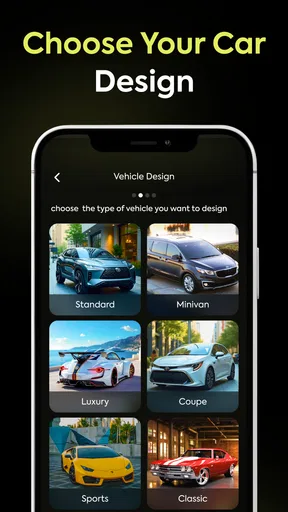
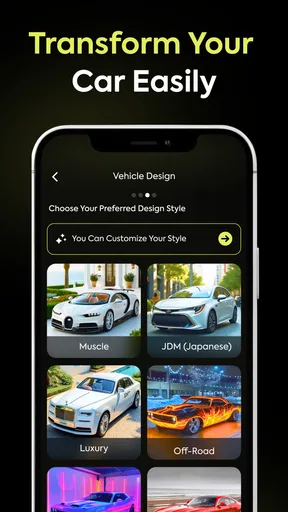
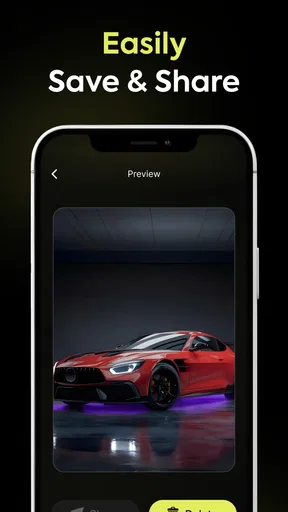
 Analysis by AppCompare
I like the idea behind AI Car Designer Modify Style: sketching out a vehicle concept on a phone can be a quick, low-pressure way to explore styles before committing to a more involved design tool. I would treat it as a creative app for visual experimentation, not as a source of engineering advice or a reliable blueprint for a real car. That distinction matters when an app invites you to make changes that look convincing on screen.
Trust starts with sensible expectations
AI Car Designer Modify Style is a free app in the Auto & Vehicles category, developed by Visvamurti Soft. It has an average rating of 2.4 from 148 ratings, with 10K+ installs, so I would approach it with curiosity rather than assume that the experience will suit everyone. It is rated for Everyone, and its current version is 3.0. Those details help set expectations, but they do not tell me how the app handles personal information or what permissions it requests.
For a design app, the practical trust question is what I am asked to share while creating or showing a concept. I would check any permission prompt in context and consider whether it makes sense for the action I am taking. A request that is not clearly connected to a feature is a reason to pause and review the choice, not a reason to guess what happens behind the scenes.
Check choices at the point of use
If I were trying a new design, I would begin with a simple concept and notice which actions are available without signing in, sharing, or paying. I would also read each prompt before approving it, especially when a workflow moves from editing to saving or sharing. This is a useful habit with any creative app because a quick experiment can otherwise turn into a decision about an account, a purchase, or a public post before I have decided that I want one.
The app includes in-app purchases priced from $7.99 to $59.99 per item, so “free” describes the download, not necessarily every option within the experience. I would explore the basic workflow first and look at the purchase screen carefully before spending. If a paid option appears, the useful question is whether it unlocks something I genuinely need for a particular project, rather than whether it sounds like the next step in the app.
When a vehicle concept is personal
A custom car design can reflect personal taste, and a picture may include details a user would rather not share widely. I would avoid putting identifying information into a design or caption and would think twice before posting a concept that reveals more than intended. That is especially sensible if I am making a design around my own vehicle or using an image connected to everyday life.
Sharing can be inspiring, but it is a choice rather than a requirement for enjoying a design tool. I would first decide whether feedback from other people is important to the project. If I only want to test color combinations or compare a few visual ideas, keeping that experiment private is a perfectly reasonable approach.
Worth Reading Before You Choose

EA SPORTS FC Mobile 26 Is a Bigger Football Game, but It Takes Time

Flipboard Shows What News Apps Must Do Beyond the Feed

Switching to Android Auto Means Rethinking Your Driving Routine

Google Calendar Makes a Crowded Week Easier to Manage

Ludo King Makes the Most of the Minutes Between Plans

Baby Panda World Brings Quick Play to Modern Phones, but Its Game Library Feels Busy
Who is likely to enjoy it
I can see this app appealing to someone who enjoys car styling and wants an accessible place to play with visual ideas. It may also suit a casual user who has a rough look in mind but does not want to start with professional design software. A person comparing a few broad directions—such as a restrained everyday look against a more dramatic custom style—can get value from the act of exploring, even if the result is only a concept.
I would be more cautious if I needed precise technical dimensions, accurate fitment information, or a design that could be handed directly to a body shop. A visual customization app is not a substitute for checking compatibility, safety, cost, or local requirements with someone qualified. If the goal is to modify a real vehicle, I would use this kind of app for inspiration and verify every practical decision elsewhere.
A useful everyday workflow
Imagine I have a few minutes during a break and want to decide whether a darker paint treatment suits a car concept. I would make one change at a time, compare it with the original direction, and avoid adjusting several features together. That makes it easier to tell which choice actually improves the look. If I am satisfied, I can keep the concept as a reference; if not, I can revert mentally to the simpler version instead of losing track of what changed.
For a more deliberate session, I would set a small goal before opening the app: test a color palette, explore wheel styling, or try a different overall character. A narrow brief prevents endless tweaking and makes the result easier to judge. It also gives me a better basis for deciding whether the app’s suggestions help or whether I prefer to direct the design myself.
Getting Started: A Smooth Drive
The first thing you’ll notice about AI Car Designer Modify Style is how intuitive it is. I opened the app expecting a complex interface, but was pleasantly surprised by its user-friendly design. Whether you’re a car enthusiast or just someone who loves to tinker, you’ll feel right at home.
Upon launching, you’re greeted with a straightforward menu. You can choose from a variety of car models to start your design journey. The app offers a plethora of customization options, from body shapes to paint colors, allowing you to flex your creative muscles.
Customization Galore
Once you dive into the customization features, the real fun begins. The app uses AI technology to predict and suggest design modifications based on current trends and user preferences. This means that even if you’re not sure where to start, the app’s got your back with some pretty cool suggestions.
I found myself lost in the details, adjusting everything from the wheel type to the front grille style. The level of detail is impressive, and the real-time rendering gives you a crystal-clear view of your masterpiece.
AI Assistance: Your Personal Design Guru
What really sets this app apart is its AI assistance. The AI doesn’t just suggest random designs; it learns from your choices. The more you use it, the better it understands your style. It’s like having a personal design guru guiding you toward creating the ultimate ride.
There’s also a nifty feature that enables you to see how your car would look in various environments. Want to see it cruising down a sunny boulevard or parked in a snowy landscape? No problem!
The Community: Share and Inspire
The app isn’t just about solitary design—it’s also a social platform. You can share your creations with a vibrant community of fellow car enthusiasts. I uploaded my design and received some encouraging feedback, which sparked new ideas for my next project.
Browsing through other users’ designs is both inspiring and a little humbling. The level of creativity out there is astounding, and it pushes you to think outside the box.
Performance and Usability
Performance-wise, the app runs smoothly, with minimal lag, even on my older device. The developers have done a fantastic job optimizing it for both Android and iOS. The loading times are quick, and the graphics are top-notch, making the overall experience seamless and enjoyable.
Usability is another strong point. The controls are intuitive, and the layout is logical. I never found myself getting lost or confused, which is a big plus in my book.
How it fits beside other design tools
The closest alternatives are usually general-purpose image editors, vehicle configurators, or more technical 3D design software. A basic image editor can be better when I want exact control over a photo or need to add annotations, but it demands more manual work. A manufacturer’s configurator is more useful for choosing among actual options on a specific model, though it is not built for open-ended styling. Technical design software is the stronger choice for proportion, measurement, and production-minded work, but it takes more time to learn.
This app’s appeal is the middle ground: a more playful way to explore an automotive look than a photo editor, without treating the exercise like a CAD project. The trade-off is that an appealing render should not be mistaken for a feasible modification. I would use the result to explain a visual preference to a friend or professional, not as proof that a part will fit or a change is roadworthy.
Small choices that improve the result
One practical tip is to save a mental baseline before experimenting. I would note the starting color and overall style, then change just one major element at a time. That avoids the common design trap where a series of small edits makes the final look harder to compare with the idea that started the session.
I would also treat AI suggestions as prompts, not instructions. If a recommendation pushes the concept in a direction I do not like, rejecting it is part of the process; the point is to develop my own taste, not to follow every generated idea. A useful test is whether the suggestion supports the design goal I set, rather than simply making the car look more elaborate.
For sharing, I would choose a finished direction instead of posting every intermediate version. That makes feedback more specific: people can react to the overall concept rather than guess what I was trying to achieve. It also gives me a moment to review the image and any accompanying text before making it visible to others.
Where I would be careful
The app’s low average rating is a reason to keep expectations measured. I would try the core experience before investing time in a complex project, and I would avoid assuming every suggested change or visual result will match my expectations. If the app becomes frustrating, or if the workflow does not support the level of control I want, a different tool may be a better fit rather than a reason to keep pushing through.
There is also a meaningful difference between enjoying a concept and relying on it. I would not use a render to make a purchase, installation, or safety decision. Anyone planning a real modification should confirm the details with a reputable specialist and check the relevant vehicle requirements; a creative preview can help communicate an idea, but it cannot replace those checks.
Performance and Usability
Performance-wise, the app runs smoothly, with minimal lag, even on my older device. The developers have done a fantastic job optimizing it for both Android and iOS. The loading times are quick, and the graphics are top-notch, making the overall experience seamless and enjoyable.
Usability is another strong point. The controls are intuitive, and the layout is logical. I never found myself getting lost or confused, which is a big plus in my book.
A cautious verdict for car-style experiments
In the end, AI Car Designer Modify Style is a fantastic app for anyone with a passion for cars. Whether you’re a seasoned designer or just want to have some fun creating your dream ride, this app delivers an immersive and enjoyable experience.
It’s not just a tool—it’s a platform for creativity and connection. So, if you’re ready to unleash your inner car designer, give it a try. Who knows? You might just create the next iconic car design.
My recommendation is narrower than that enthusiasm might suggest: I would try it if the goal is casual visual play, inspiration, or a quick way to compare styling ideas. I would skip it if I need dependable technical guidance, a guaranteed fit for a real vehicle, or a polished professional workflow. For anyone who does install it, starting with a modest experiment, checking prompts as they appear, and treating paid choices deliberately is a sensible way to decide whether it earns a place in their creative routine.
Pros
- Intuitive interface for quick customization.
- Diverse range of design elements available.
- High-quality graphics for detailed previews.
- Easy sharing options to showcase designs.
- Regular updates with new features.
Cons
- Limited free features; subscription needed.
- Occasional app crashes during editing.
- Requires high-performance device for smooth use.
- Ads can be intrusive in the free version.
- Some design options require in-app purchases.
FAQs for AI Car Designer Modify Style
What platforms is AI Car Designer Modify Style available on?
AI Car Designer Modify Style is available for both Android and iOS devices. You can download the app from the Google Play Store for Android users and the App Store for iOS users. Ensure your device meets the minimum system requirements for optimal performance.
Does AI Car Designer Modify Style require an internet connection?
While AI Car Designer Modify Style can be used offline for basic design tasks, an internet connection is required to access advanced features and updates. Online connectivity allows the app to fetch new design templates, save projects to the cloud, and share your creations with the community.
What features does AI Car Designer Modify Style offer?
AI Car Designer Modify Style offers a range of features including 3D car modeling, customizable templates, and advanced AI-assisted design tools. Users can personalize every aspect of their car designs, from color schemes to intricate details like wheels and interiors. The app also supports AR visualization for a more immersive experience.
Are there in-app purchases or a subscription model?
Yes, AI Car Designer Modify Style offers in-app purchases. While the basic version is free, users can purchase additional features, design packs, and templates. There is also an option for a subscription model that provides access to exclusive content, priority support, and early access to new features.
Is AI Car Designer Modify Style suitable for beginners?
Absolutely, AI Car Designer Modify Style is designed with user-friendliness in mind, making it suitable for both beginners and experienced designers. The intuitive interface and AI-guided tutorials help new users get started quickly, while advanced tools offer more depth for professional designers. The app's community support is also a great resource for learning.


